Your booth. Your gallery. Your domain.
Capture, gallery and sync from one piece, offline first. Everything runs on your own server: no per-machine licence, no gallery subscription, no third-party cloud.
- Open source under AGPL-3.0
- Runs on your server in Germany
- Your own domain is included
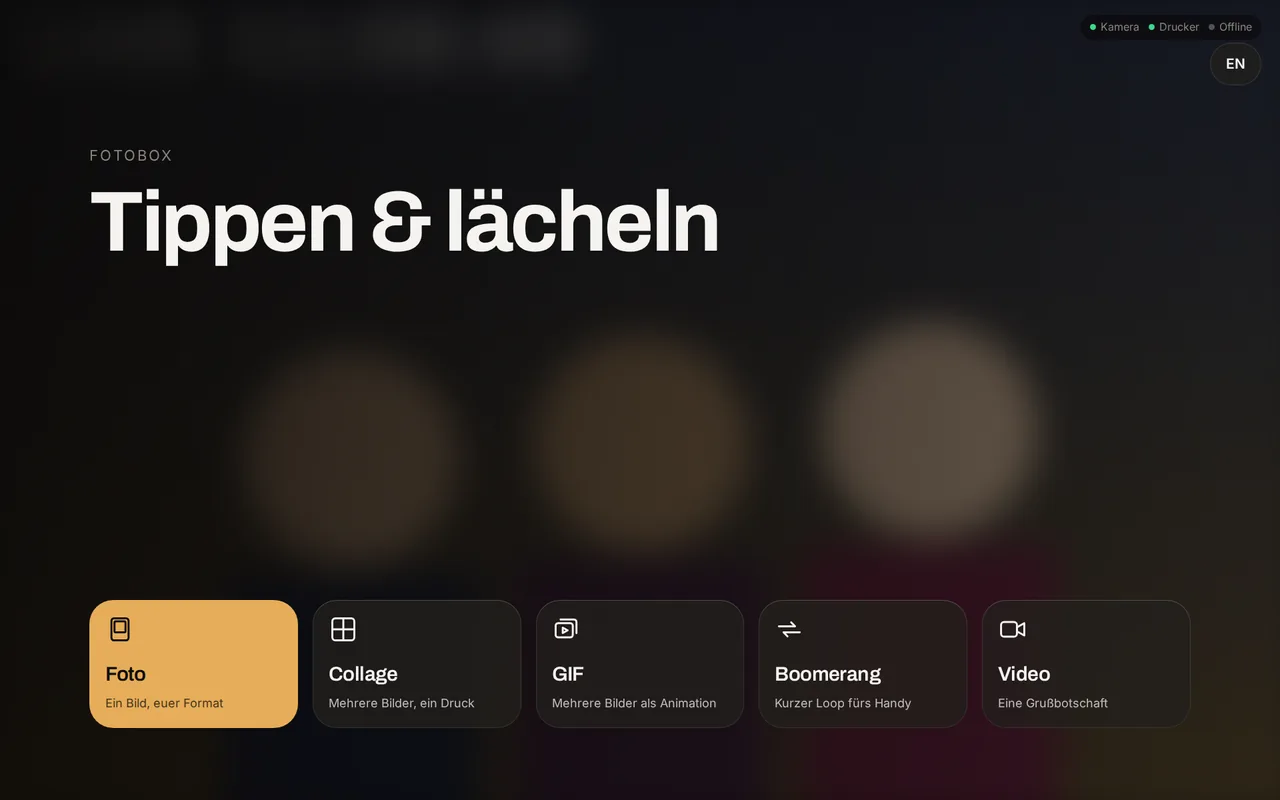
01 What you get
No features behind a paywall.
Everything here sits in the open source. The paid build has no extra feature, it is only already built. As of 19 September 2026.
- 1,743
- tests, all greengallery 918, booth 784, sync 41
- 14
- print templatesone to six photos, portrait and landscape, strips
- 14
- printer model linesHP, Canon, Epson, DNP, SELPHY
- 0
- third-party hostson this page as well
Gallery and administration
The part your guests see, and the part you sit in.
- Guest gallery with no account and no app, reached by QR code or link
- Share links with an expiry date and a password, revocable one by one
- Selection ZIP: the guest downloads exactly the photos they marked
- Live slideshow that keeps loading, likes, share picture, printable QR page
- Your own domain per event or per instance, with a check on the DNS record
- White label per event: colours, logo, wording
- Sign-in without a default password, TOTP second factor, recovery code
- Outgoing mail with a test message; guest mail from the booth runs through the gallery
- Statistics per booth and event, resettable, as CSV and JSON
- Software rollout to the booths, verified by SHA-256
- Access for AI assistants over MCP: look and configure, never guest data
The booth
Capture, choose, print. Works on a touchscreen or with two buttons.
- Photo, collage, GIF, boomerang and video
- Template editor at the booth and in the web admin, from one source
- A style layer: an occasion is a set of colours, fonts and words, not a second template
- "Again" for a single frame of a series, in its own place
- The screen as a flash, with lead-in, lead-out, brightness and colour
- Dark, light or your own colours; contrast is recomputed
- One, two or three buttons are enough: a buzzer instead of a touchscreen
- Creates events without a network and files them on the next sync
- Kiosk gallery at the booth, with reprints and a quota
- Booked time windows, including across midnight
- Controls from 76 px up, keyboard operation verified, announcements for screen readers
Printing and cameras
The part most likely to cause trouble on the night.
- Formats 10×15, 13×18, 15×20 and photo strips 5×15
- 14 model lines on file, each with media, print time and what the device actually reports
- The sheets-left figure says where it comes from: reported, counted or unknown
- The print queue lives on disk; a failed job stays put instead of vanishing
- Canon over EDSDK or gphoto2, plus Nikon, Sony, Fujifilm, Panasonic, Olympus
- Webcams and old phones too; on Windows the booth finds what is there
Sync
For everyone who wants to keep their capture software.
- Watches the output folder of dslrBooth or LumaBooth
- A queue on the booth PC, retries with growing intervals
- A second destination over SFTP or FTPS, your own NAS for instance
- The upload waits until the file has finished writing
- Remote maintenance through an admin page of its own
And what is missing
- The hardware pass is still pending: the Canon EOS M50 over the EDSDK, real SELPHY printing, the Windows build.
- No free screen editor. Colours, fonts, wording and arrangement yes, free layout no.
- No event package to carry around, no choice of download resolution, no photo moderation.
- No payment system for coin-operated use.
- The booth runs on Windows. Linux is planned but not finished.
And what we do not want
No AI image generation, no face search, no beauty filters, no stickers, no cloud destinations at Google or Dropbox. That is not a gap but a position: anyone selling data sovereignty does not send guests’ faces to a third party.
02 How an evening runs
Three steps, and the guest has their photos.
No app, no account, no email address. These are screenshots from the running system, not illustrations.
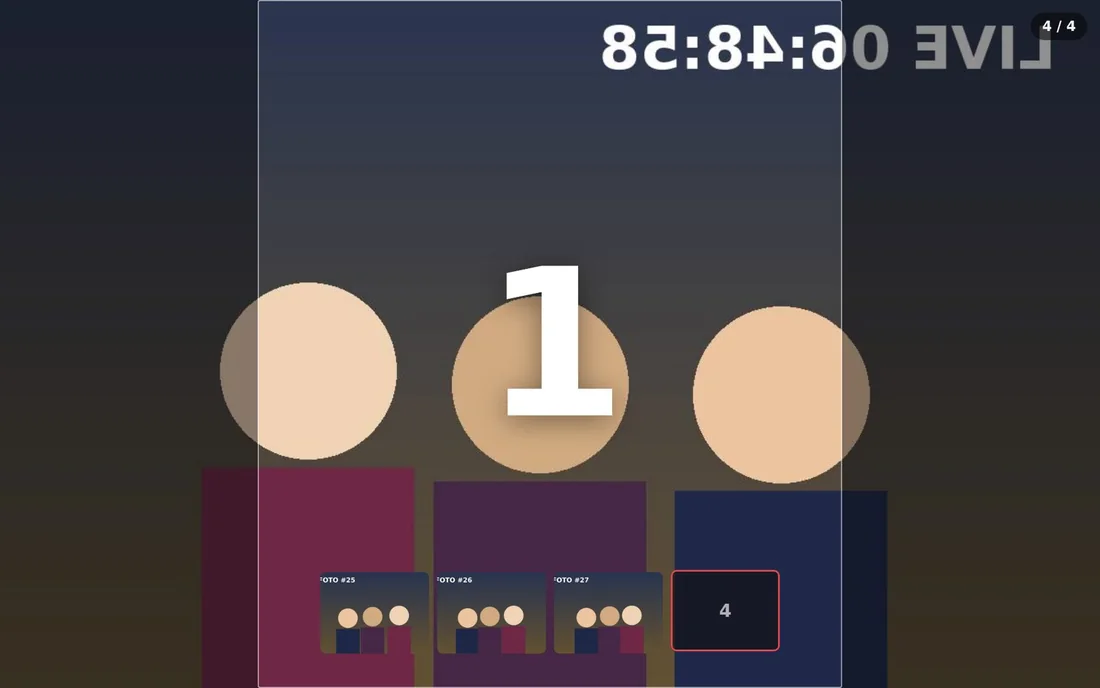
Capture
The guest taps a mode, the countdown runs, the camera fires. The print comes out right away if a printer is attached.
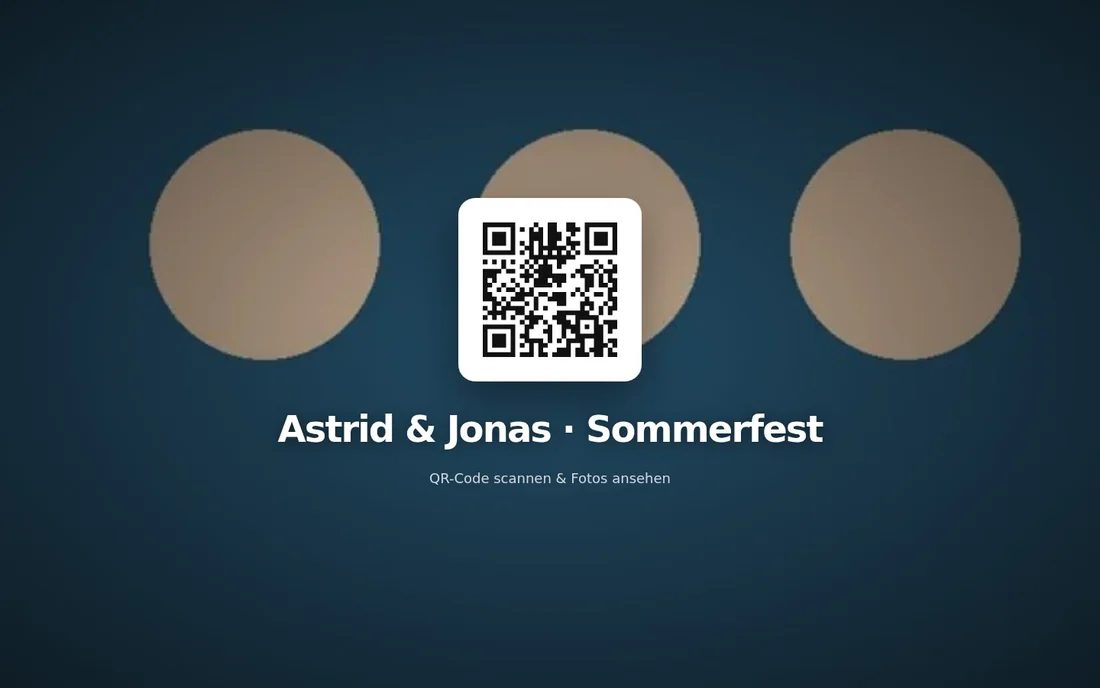
Scan
At the end of the session the booth shows the QR code. It leads to your event gallery, under your address instead of a vendor’s.
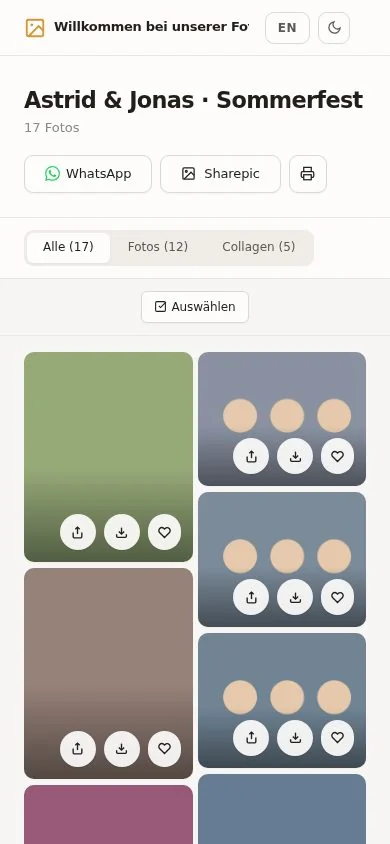
Save
The gallery opens in the guest’s browser. They see their shots, save them to the phone or pass them on.
03 Offline first
The QR code works before the photo has been uploaded.
Anyone who has stood in a farmyard without reception knows the problem: the booth captures, and then everything stops. Here the gallery entry is created at the booth. The code on the screen and on the print is correct immediately. The file follows as soon as there is a network again, on the drive home if it comes to that.
Queue
nothing yet
In the gallery
nothing yet
04 Your own address
An address of your own is part of the deal.
your-name.photobox-gallery.com
With fotoShare a subdomain of your own requires the Business plan at 39.99 USD a month. With scrappbook the first custom domain starts at 39 € a month, unlimited only from 99 €. Here it is part of the deal, and anyone with their own domain points it at the gallery: the admin spells out the DNS record and checks that it really points here. Only then do the QR code, the link, the mail and the share picture carry that address.

05 An honest comparison
One flat cost against a stack of five line items.
The figures come from the vendors’ pricing and help pages, checked on 19 September 2026. They change, so check them yourself before deciding anything.
Photobox Gallery
··· once per booth, plus the serverLumaBooth + fotoShare
··· subscription, keeps runningDifference
···Calculated with 129 € once for up to three booths, 39 € per further booth and 19 € a month to run it. Against LumaBooth on the annual plan: 17 USD a month with the first two devices included, every further device another 17 USD. Plus fotoShare Plus at 19.99 USD, because the free plan has no subdomain of your own. Converted at 1 USD = 0.92 €. The SMS plan and AI credits are left out.
LumaBooth + fotoShare, month after month
Here: the server it runs on. Nothing else.
One payment against a subscription
A subscription never ends and grows with every device. A one-time payment is done once it is paid, even if the booth sits in the cellar for a year. The difference only shows over the years, and by then it cannot be undone: stop paying Lumasoft and you lose the capture software and the gallery in the same moment. Here both stay exactly where they are.
What works, what does not
| Photobox Gallery | LumaBooth + fotoShare | PSPhotoBox (AT) | |
|---|---|---|---|
| Self-hosting | yes | no | gallery inside the PC |
| Data stays on your server | yes | USA | cloud unclear |
| Usable without a subscription | yes | no | 189 € once |
| Source code open | AGPL-3.0 | no | no |
| Own domain included | yes | Business only | not stated |
| Gallery outlives the evening | yes | in the cloud | only via Connect |
| Retention without a deadline | yes | video 3–12 mo. | not stated |
| Sync out of dslrBooth/LumaBooth | yes | not applicable | no |
| Accessibility verified | yes | not stated | not stated |
| Template editor | templates | templates | screens too |
| Export an event package | no | no | .pspbevent |
| Choice of download resolution | no | no | not stated |
| Payment system for kiosks | no | no | wallet |
| Camera support | Canon first | broad | broad |
Green: available. Amber: limited. Blank: absent, or something we have not verified. Which of the two it is stands next to it in plain words.
Third-party figures from vendor documentation, pricing pages and the data processing agreement. LumaBooth and fotoShare as of 6 August 2026, PSPhotoBox as of 19 September 2026. Where we cannot back something up we write “not stated”, not “no”. We have tested neither program on our own hardware.
06 Privacy
You see every file and you can revoke every link.
That follows from how it is built: no vendor sits between you and your guests’ photos, keeping a copy.
For comparison: the Lumasoft data processing agreement names Amazon Web Services, Google Cloud and Backblaze in the USA as processors; the EU appears only as a delivery CDN. For hospitals, public bodies, universities and privacy-sensitive companies that is the point where the conversation turns.
07 Pricing
The source is free. Convenience costs.
Three ways to the same program. No VAT, because of the German small-business rule. None of it can be bought today: the Canon licence question and the signing certificate are open, and the hardware pass is still pending. The prices are here so you can do the maths.
€0foreverYour server is the only recurring line item.
Full source under AGPL-3.0-or-later. Gallery, booth and sync. You build, set up and operate it yourself.
- Every feature is included, nothing behind a paywall
- No device count, no licence check, no phoning home
- You get the Canon SDK yourself from the Developer Programme
- Pull requests welcome
€129once, up to three boothsUpdates without a deadline. No subscription, no renewal date.
The signed Windows application with the Canon SDK wired up. The same source, only built, signed and tested on hardware.
- An installer instead of build instructions, no SmartScreen warning
- Canon SDK in place, architecture verified
- Three booths are included, every further one costs €39
- Waiting list: €89 for everyone who joins before the hardware pass
SparkBooth DSLR costs 189 USD for three activations, PSPhotoBox 189 € per installation, Breeze Remote Pro 349 USD.
from €29per eventFour weddings a year cost less than a subscription.
If you would rather not deal with any of it: we put the gallery up, keep it current and back it up daily.
- €29 for one event, reachable for twelve months, on your own subdomain
- €19 a month for unlimited events and a daily backup
- €39 a month for your own domain and the white label per event
- from €79 a month for a server of your own with several tenants
- Setup €99, waived on annual payment. Monthly notice, your data comes with you
scrappbook charges 39 € for the first custom domain and 99 € a month for white label.
What the others charge once
Checked on 19 September 2026 on the vendors’ own pages. LumaBooth is missing from this list because it has had no one-time licence since version 7.
Why these numbers
The source stays free, so the price cannot stand for features. It stands for built, signed and tested convenience. Among the small vendors that costs between 75 and 349 USD, usually for a single machine. 129 € for three booths is the lowest price per booth in that field, and the gallery comes with it. The same logic applies to running it: 29 € per event pays off for anyone renting out four to eight times a year, and a subscription only beats that above it.
08 For developers
One container, one volume, five environment variables.
The gallery is a Flask application with SQLite. It runs behind gunicorn in a container, listens on port 5000 and keeps the database and media in a volume. It needs nothing else.
- Licence: AGPL-3.0-or-later. Run the gallery publicly and you pass your changes on.
- Contributors sign a CLA so the same code may also ship in the paid build.
- Pull requests are welcome; merging is done by hand.
- The project language in code and docs is English, the interfaces are bilingual.
The public repository is being prepared. Write to us if you want to look inside before that and we will grant you access.
docker build -t photobox-gallery .
docker run -d -p 5000:5000 \
  -v photobox-data:/data \
  -e SECRET_KEY=<random> \
  -e ADMIN_USER=admin -e ADMIN_PASSWORD=<secret> \
  -e DATA_DIR=/data \
  -e BASE_URL=https://gallery.your-domain.com \
  photobox-gallery
Have a look before you install anything.
The demo is a real gallery with a sample event. No account, no form.